.113087351a38.svg)




















A note from Gary
Why I created this bibliometric analysis tool
This tool is designed for early-stage researchers, undergraduates, master's students, and late high school students.
Bibliometric analysis arguably advances critical thinking skills, a key educational objective (1, 2). Many schools, colleges, and universities require students engage in research based learning, including bibliometrics (and often as part of systematic literature reviews and scoping reviews)(3). Yet, in my experience lecturing, I found there isn't enough time for lecturers to explain the bibliometric process in full. Furthermore, students noted that they spend significant time calculating various bibliometrics rather than critically analyzing the output. I found that students who were not comfortable with the mathematical side of bibliometrics often failed to benefit from the analysis (cognitive load theory may explain why students do not fully advance critical skills because of this initial mathematical requirement, and limited time (4)). There are, of course, other good tools that generate bibliometrics from references; however, barriers remain, such as the need to use R or Python.
I therefore created this tool for my students. From my perspective, I've found very positive results. I find students engage far more as the limiting factor (mathematics) is no longer a barrier. I've also noticed far better critical thinking in submitted assessments. Students no longer report negatives about the time spent on calculations, and satisfaction results have improved significantly.
Please let me know how you've used this tool.
Regards
Gary
For lecturers/teachers
There are many ways a lecturer or teacher may use bibliometric analysis to further a student's learning. Here are two ways I use this tool (considering constructive alignment (5)):
- In all classes I teach or tutor, in initial workshops I:
- Ask students to obtain references for literature associated with the unit content (from e.g. Web of Science).
- Get students to use this bibliometric tool.
- Discuss the findings in groups and as a class.
- Where a student is required to create an academic review of multiple literature sources (such as a systematic literature review).
- I recommend the first two steps as above.
- I ask students to insert the generated images and critically analyze.
For students
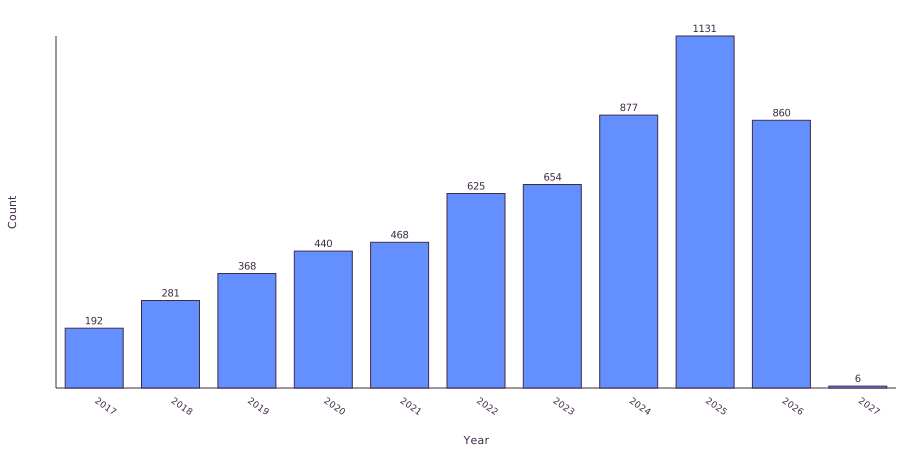
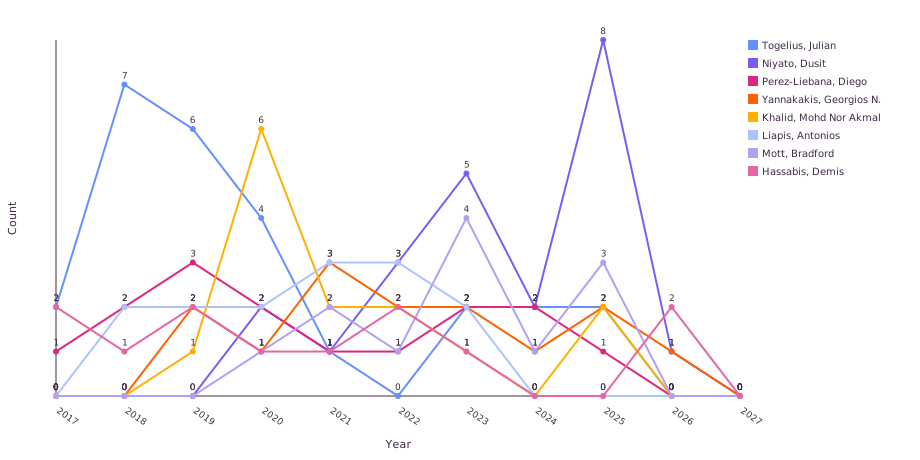
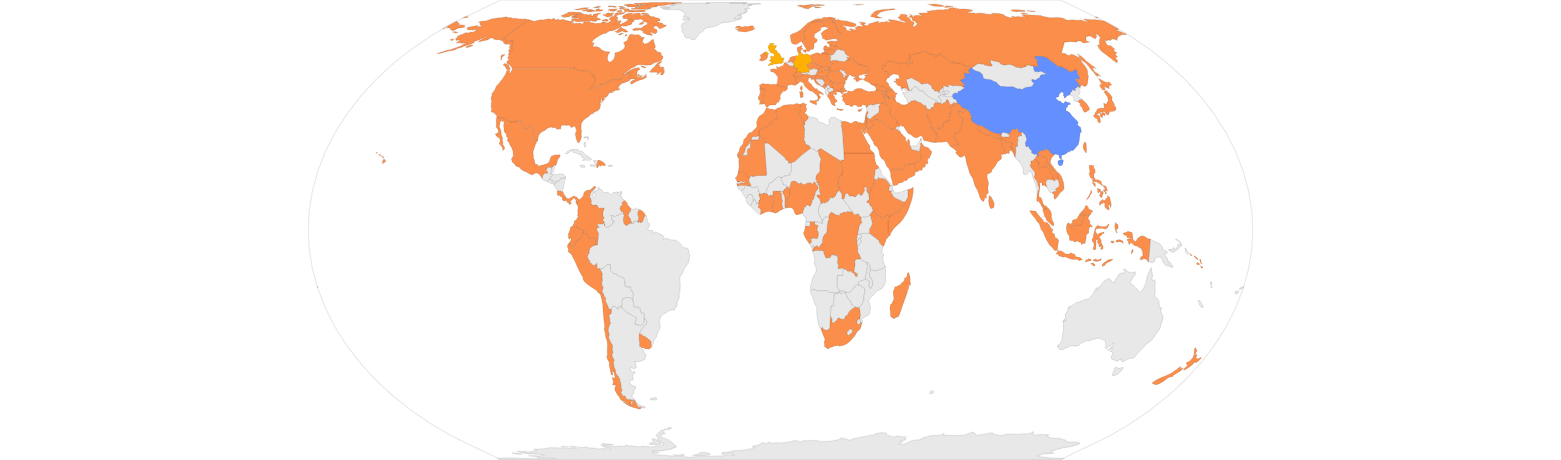
Think of this tool as a simple way to gain more knowledge and higher marks. Bibliometric analysis is widely used in education. This tool removes the hard work of using complex mathematical formulas or scripting in Python or R. Simply enter your list of references and then discuss the results as relevant to your assessment.
Here are a few tips when addressing bibliometrics in your assessment:
- Download relevant images from the results and insert them into your paper or presentation.
- Question the output and mention the strengths and limitations of the analysis. This is part of critical thinking and critical analysis.
References
- OECD. Teaching, Learning and Assessing Creative and Critical Thinking Skills 2024 [Available from: https://www.oecd.org].
- Bloom BS. Taxonomy of educational objectives: The classification of educational goals, 1st ed. Harlow, Essex, England: Longman Group; 1956. np, np–np, np p.
- Lambert C. Pedagogies of participation in higher education: a case for research–based learning. Pedagogy, Culture & Society. 2009;17(3):295–309. https://doi.org/10.1080/14681360903194327
- Sweller J, Ayres PL, Kalyuga S. Cognitive load theory. New York: Springer; 2011. https://link.springer.com/book/10.1007/978-1-4419-8126-4
- Biggs J. Enhancing teaching through constructive alignment. Higher Education. 1996;32(3):347–64. https://doi.org/10.1007/BF00138871
- Page MJ, McKenzie JE, Bossuyt PM, Boutron I, Hoffmann TC, Mulrow CD, et al. The PRISMA 2020 statement: an updated guideline for reporting systematic reviews. BMJ. 2021;372:n71. https://doi.org/10.1136/bmj.n71